





 購物車 / 產生報價單



商品圖片僅供參考,選購時請再留意商品規格
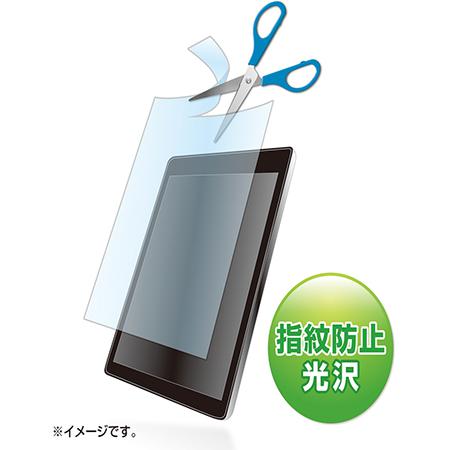
SANWA SUPPLY 最多可裁剪7種類型的自由切割式液晶保護指紋防止光澤膜 LCD-70KFP LCD-70KFP
Up to 7 types of free cut type liquid crystal protective fingerprint preventing glossy film LCD-70KFP
商品包含多種型號及規格,請點選「立即選購規格」挑選

月結報帳 / 信用卡 / 銀行轉帳

宅配快速到貨,滿 NT$ 999 元即享免運!
選購型號
商品介紹
Feature
- Supports up to 7 types.
- Free-cut type liquid crystal protective fingerprint-resistant glossy film that can be cut to any size.
- You can cut it to your desired size and attach it.
- Fingerprint prevention prevents fingerprints from sticking to the film.
- The adhesive surface is made of silicone material, so it sticks perfectly.
- Double-sided tape is not required.
- Touch panel compatible.
- Protects the LCD screen from dust, fingerprints, scratches, etc.
Specifications
- material: Adhesive Surface/Silicon Film, Outer Surface/PET
- Size: W 130 x D 0.2 x H 200 mm
- Quantity: 1 piece
- *The film is a glossy type that prevents fingerprints.
- [Protection film cutting method]
- ① Use the grid paper on the back of the package to measure the size of the device.
- ② Use the grid paper to decide the size to cut out from 4 marks.
- *If you have a tablet or other device that is flat to the frame, make it a little larger (2 to 3 mm) so that it covers the entire LCD.
- *If you have a model with a step between the LCD screen and the frame, please make it a little smaller (2 to 3 mm). This is because it is difficult to align the right and left sides of the upper and lower if the size is perfect. ③ Place the film main body on top of the grid paper and cut it off. (You can cut it with scissors, but I recommend to cut it neatly with a cutter knife.) [Protection film sticking method] (1) Clean the LCD screen and main unit. (If dust gets caught, it may cause air bubbles.) ② Peel off the glue sheet before applying the film. The removed side is the side that can be attached to the LCD screen. When removing the nail polish remover, work in a place with as little dust as possible to prevent dust from static electricity. ③ Apply the protective film slowly from the edge. It will be easier to stick if you push out the air with a soft cloth.
- *Please be careful not to press the LCD screen too hard when attaching, as it may cause damage. [Caution]
- *Be careful not to get injured when cutting the product with scissors or a cutter knife.
- *Sanwa Supply assumes no responsibility for any accident or damage caused by the disconnection of this product.
- *When the product is applied to the entire surface of a flat device such as a tablet, the R (bend) of the corner cannot be measured. Protect the chisel of the LCD.
- *Cutting the film may place a load on the edge of the film, causing part of the film to float. Thank you for your understanding.
Package size
- Package size:150×3×255 mm 40 g
以上圖片及相關資訊由 SANWA SUPPLY提供。
若有現場安裝、說明或特殊配送需求,歡迎事前與科研市集聯繫。部分商品因供應條件限制,可能無法提供相關服務,敬請見諒。