


 購物車 / 產生報價單




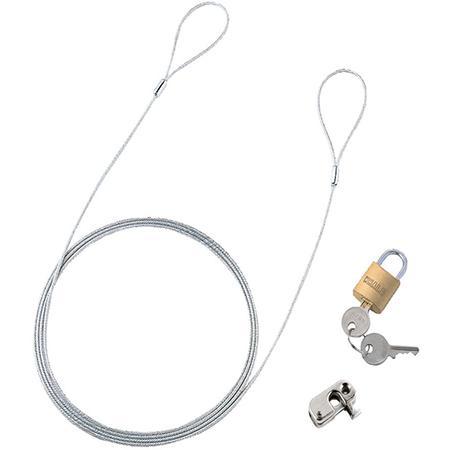
商品圖片僅供參考,選購時請再留意商品規格
SANWA SUPPLY PC安全線鎖轉盤式鎖型號 SL-58 SL-57 和更多型號
PC Security Wire Lock dial type lock Type SL-58
商品包含多種型號及規格,請點選「立即選購規格」挑選
💡 重要通知:
因中東戰爭造成原物料波動影響,若訂單成立後進貨成本發生重大異動,我們將主動聯繫您協商處理。造成不便,敬請見諒。

月結報帳 / 信用卡 / 銀行轉帳

宅配快速到貨,滿 NT$ 999 元即享免運!
選購型號
商品介紹
Feature
- For PC theft prevention.
- Peripheral devices such as mouse and numeric keypad are also locked at the same time.
- Dial lock type.
- Easily attached to (LCD display, projector, etc.), a model that also has a security slot such as a notebook desktop computer.
- Lock the mouse, numeric keypad, and other peripheral devices in the same way.
Specifications
- Set Contents: Mounting Parts x 1 piece, Wire x 1 piece (Diameter 2.2 mm, length 2.0 m), dial type lock x 1 piece
- compatible models: Notebook personal computer with security slot, Desktop personal computer, etc.
- *Check the operation manual of the product for the presence or absence of a security slot.
- [Dial setting method for lock]
- ① After setting the dial to the factory default of 000, pull up the U-shaped metal bracket. ② When viewing the U-shaped metal bracket from directly above, rotate it 90 ° counterclockwise clock. ③ With the U-shaped metal bracket in, turn the dial to any number you like.
- *Note: When turning the dial, if the U-shaped metal bracket becomes loose, the number will be set at that position. Be sure to set it in the depressed state. ④ Return the U-shaped metal bracket to its original position and slide it into the hole. ⑤ If you turn the dial, the lock is completed. (Please make sure to dial 4 pieces as well.)
- *If you forget your PIN, you can only try all the numbers or disconnect metal bracket. Please leave a note.
Package size
- Package size:180×225×20 mm 130 g
以上圖片及相關資訊由 SANWA SUPPLY提供。
若有現場安裝、說明或特殊配送需求,歡迎事前與科研市集聯繫。部分商品因供應條件限制,可能無法提供相關服務,敬請見諒。